Try the Reverse Singing Challenge with SingBack
Record your voice, hear it backwards, and challenge friends to copy the sounds. Adjust playback speed and loop your audio while you practice.


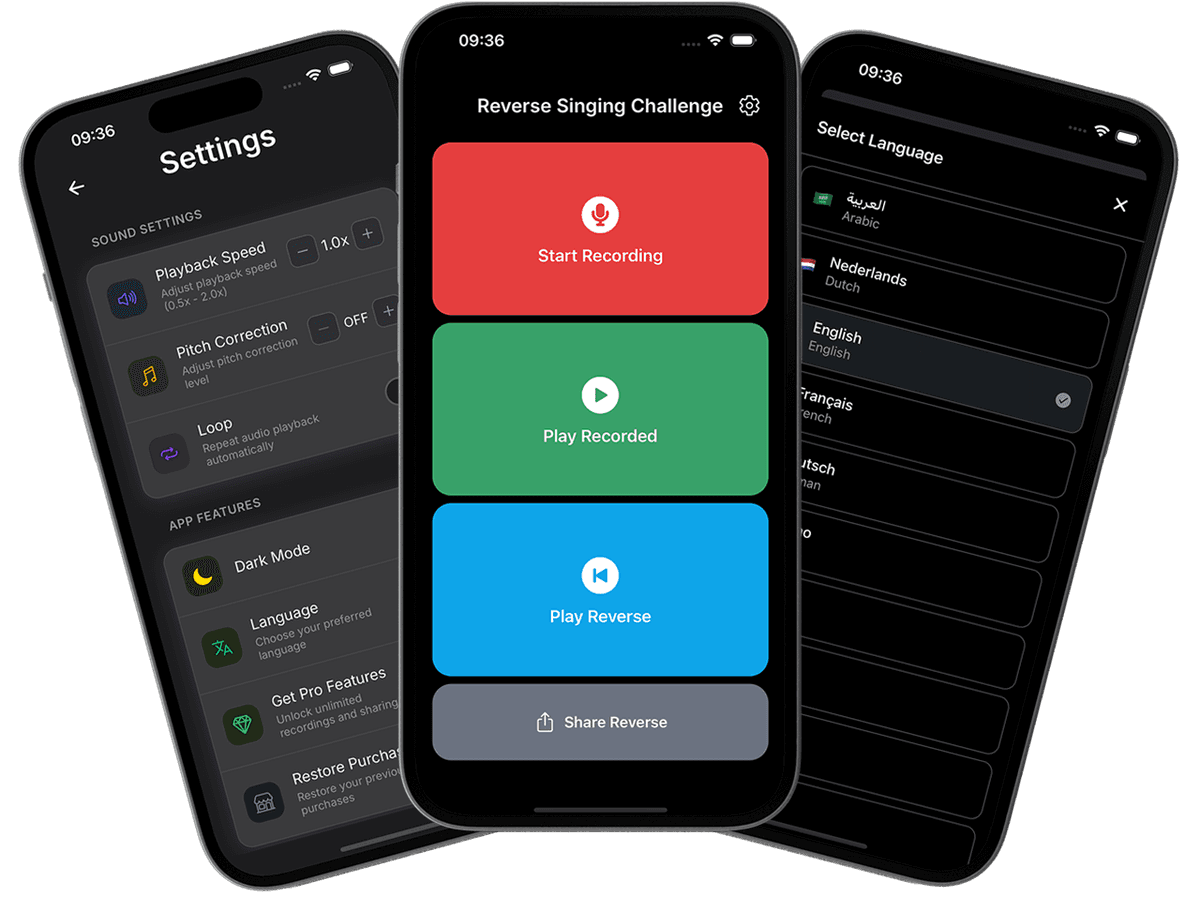
Your voice. Backwards. In one tap.
Record a short clip or choose an audio file, and hear it backwards. The free web tool keeps your audio on your device.
Record, Listen, and Sing It Back
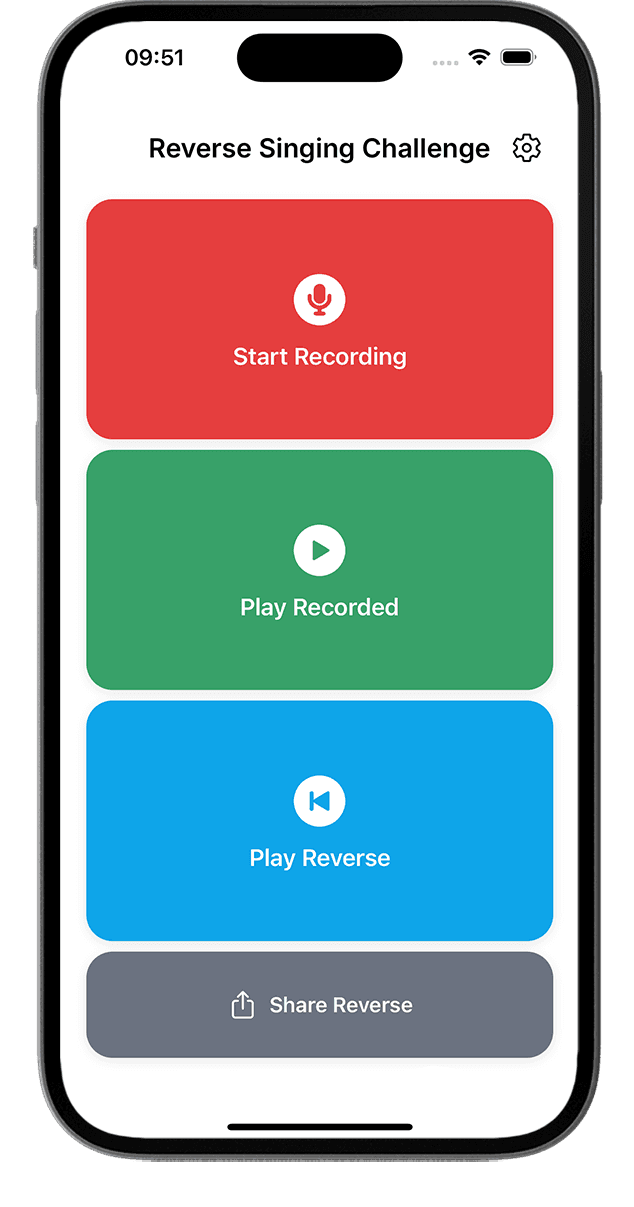
Simple recording and playback controls for reverse singing, backwards talking, and your next challenge with friends.
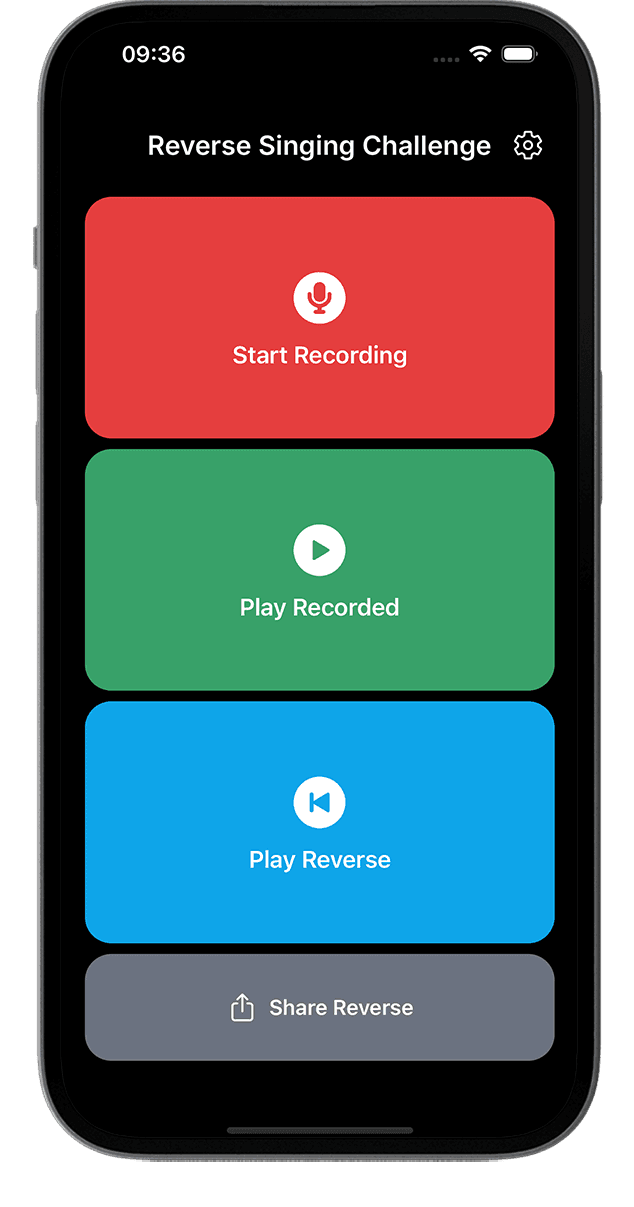
Record Your Voice
Record a short song or phrase with your phone's microphone, then listen to your original take
Automatic Audio Reversal
Stop recording and SingBack prepares the backwards version. Tap Play Reverse to hear it
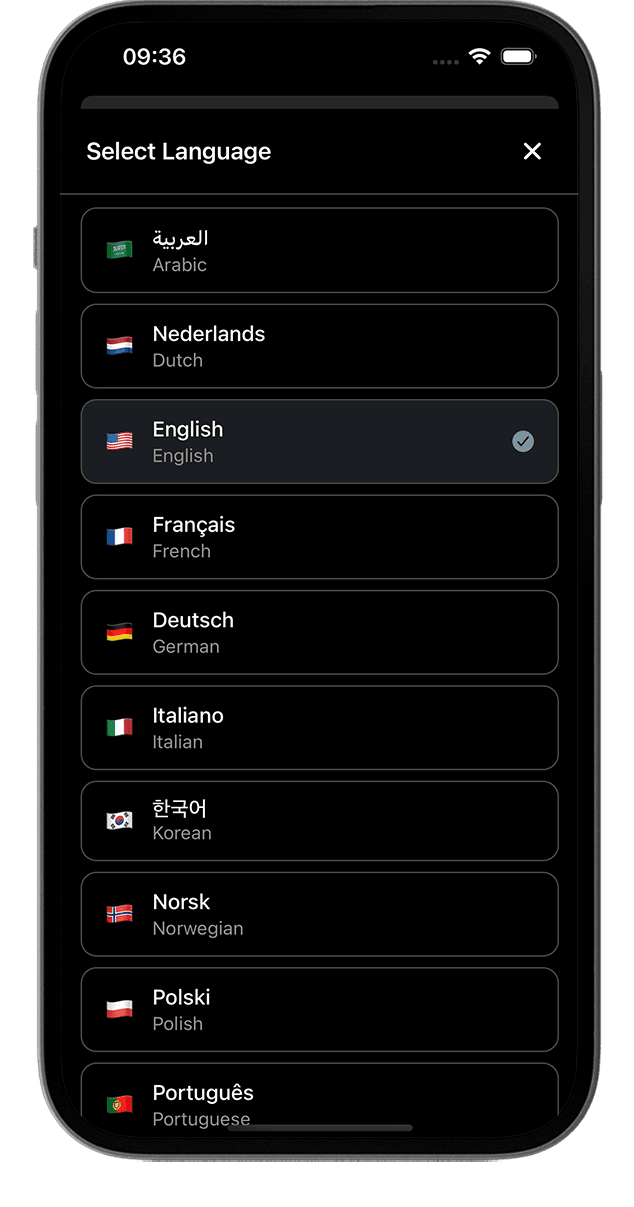
Multilingual Interface
Choose Spanish, English, Portuguese, French, German, or another supported interface language in Settings
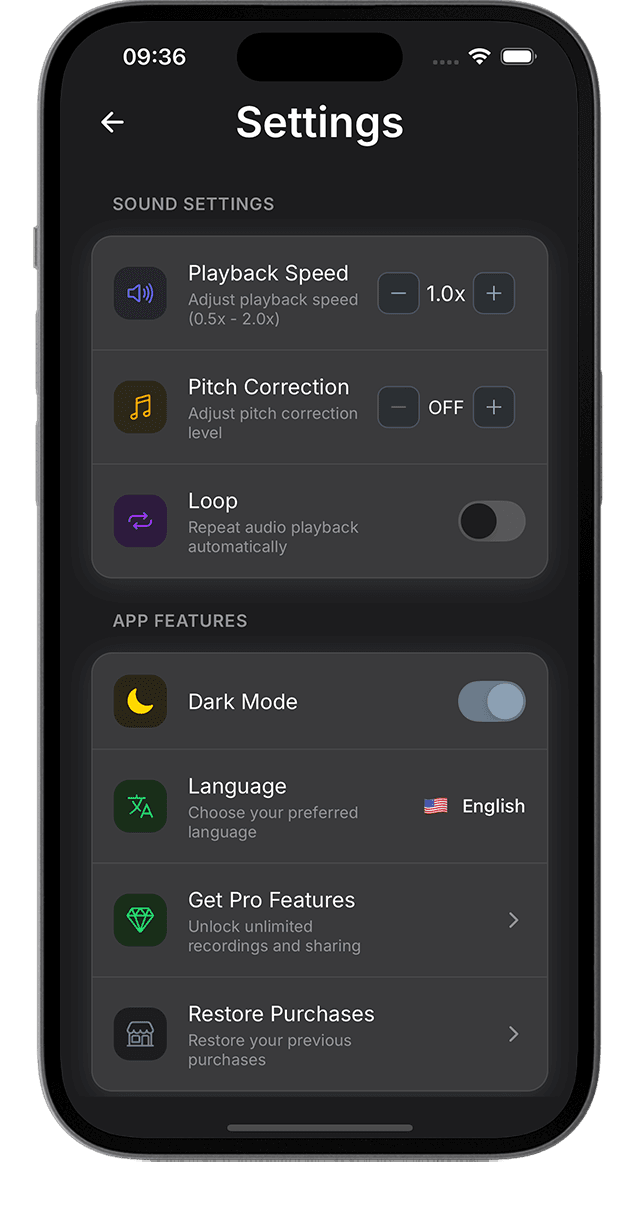
Adjust Playback Speed
Set playback speed from 0.5× to 2.0× in Settings to hear and practice the backwards sounds
Loop While You Practice
Turn on Loop in Settings to repeat playback while you learn your reversed phrase
Share Your Reversed Audio
Save or send your reversed audio through your phone's share options. Add it to a video in your preferred editor
What Our Users Say
"This reverse singing app is AMAZING! My boyfriend and I spend hours trying the challenge. The reverse audio quality is perfect and we can't stop laughing at our attempts!"
"Best reverse play app ever! The recording quality is crystal clear and reversing is instant. Our TikTok videos using this app went viral!"
"Perfect for parties! We challenged our whole friend group with reverse singing and everyone was dying laughing. Super easy to use and share."
"The trim feature is genius! I can cut to the exact funny moment before sharing. This reverse audio app has everything I need for the challenge."
"My kids love this! They're always trying new songs and giggling at the results. The reverse singing trend is so much fun with this app."
Simple & Beautiful Interface
See SingBack's recording screen, playback settings, language selector, and light appearance.
FAQ
How to record, practice, and share reverse audio with SingBack.